How floorplans work
During setup, your account chose one of two ways to handle floorplans. This single choice changes where beds, baths, and layout details live, so it's worth understanding before you edit listings.
How to tell which mode you're in: look at the sidebar. If you see a Floorplans section, your account manages floorplans separately (shared floorplans). If there's no Floorplans section, floorplan details live directly on each listing.
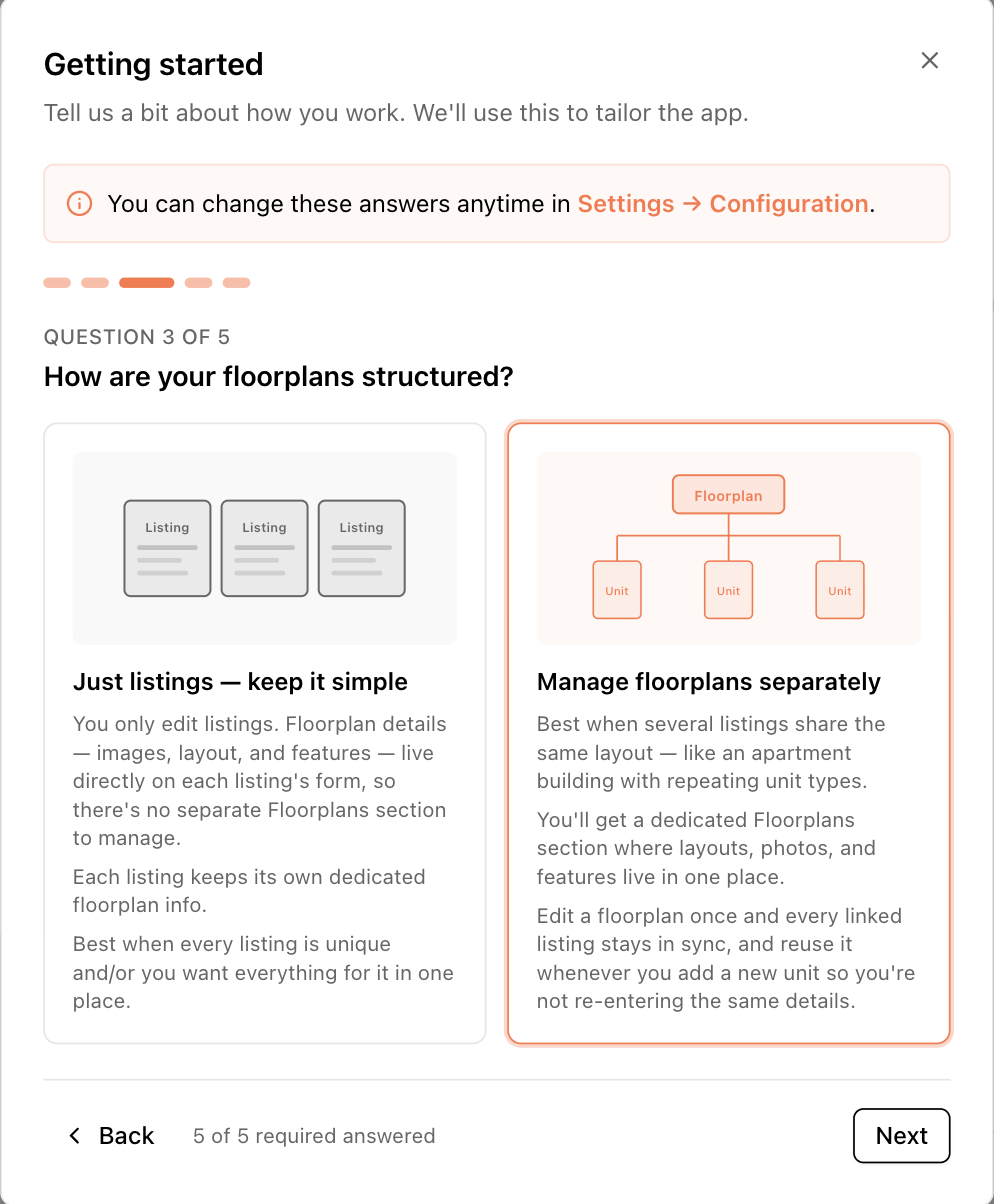
Shared floorplans ("Manage floorplans separately")
Best for buildings with repeating unit types — a "B2" line with the same layout on every floor.
- Floorplans are their own records with a dedicated sidebar section. Each holds the layout details: bedrooms, bathrooms, half baths, total rooms, description, images.
- A listing links to a floorplan. When creating or editing a listing you pick its floorplan from a dropdown (filtered to the listing's building), and the form shows that plan's beds/baths as read-only chips.
- To change beds or baths, edit the floorplan, not the listing. Every listing linked to that plan updates at once — that's the point: fix a typo once, and all twelve "B2" units are correct.
- Each floorplan has a Total units count — how many physical units use that layout, including ones you haven't entered in the app. Syndication feeds use this number.
In this mode, the CSV importer can't set bedrooms or bathrooms per row (they belong to the shared plan), and if a feed warns that a listing is missing beds/baths, the fix is on the floorplan's edit page.
Floorplans inside listings ("Just listings — keep it simple")
Best when every unit is unique and you want everything on one form.
- There is no Floorplans section. The listing form itself includes Bedrooms, Bathrooms, Half baths, Total rooms, a floorplan name, and floorplan notes, plus floorplan images.
- Each listing keeps its own private floorplan details — editing one listing never affects another.
- The CSV importer can map bedrooms and bathrooms columns directly.
Switching modes
An admin can change this answer at any time in Settings → Configuration → Edit answers (see The setup wizard). Your data isn't lost when switching, but the place you edit beds/baths moves, so tell your team.